My role
The starting point was the look and feel of the rebrand, done by an external agency. The goal was creating a flexible design system for Cloudya, and the larger NFON product ecosystem.
- Compiled component inventories for desktop and mobile
- Mapped color, size, and other properties onto a modular token system
- Defined color palettes and tokens for white labeling and NFON partners
- Created base and feature components for Cloudya
- Documented the design system
Key insights
-
Managing complexity is a job in itself
A token architecture that's hard to update defeats the purpose.
-
Too many choices create incoherence
Fewer tokens and components make design decisions less ambiguous.
-
Balance platform mental models
For components, find common ground between desktop, iOS and Android.
-
A design system is a work in progress
Start with the basics, refine as needed, and change what no longer makes sense.
The rebrand
I started by looking at Cloudya’s UI, on the available platforms: Windows and Mac on desktop, iOS and Android on mobile.
Screenshotting each component, I built an inventory to better understand what components we needed. This exercise also revealed opportunities to simplify and unify the UI across platforms.
I did quick studies of the brand colors on a few key components, to see how these bold new colors could work in the app.
The colors are very vibrant. I needed to make sure extended use of the app didn’t cause eye strain. I created 7 color ramps to have a range of tones to work with, based on the new brand colors.
Color ramps
A diagram showing seven columns, titled: Base, Brand, Accent, Business Communications, Integrations, Customer Contact and Enablement. Each column has a ramp, with different color palettes, running from light to dark. Inside each color, a number reference from 0 to 100, plus HEX and RGB color codes. Some colors are marked as Primary. The colors used in the Design System tokens are also marked.
Tones were balanced across ramps in terms of brightness and saturation.
Placing type over each ramp slot helped identify accessible contrast ratios. I aimed for WCAG 2.0 AA as a minimum.
The product buckets (Business Communications, Integrations, Customer Contact and Enablement) were defined by the Marketing team to visually distinguish different NFON products and services. While the main focus of the design system was Cloudya, this palette was used to adapt the visual style for other products.
Design tokens
Tokens are the heart of the design system. They remove guesswork, enable ready to use assets and patterns, and help developers structure code that's easy to understand and maintain.
I researched 5 established design systems (from Google, Apple, Atlassian, IBM and Shopify) to understand how to structure the tokens. Each design system has its own approach with different trade-offs.
Since this system would be used and maintained by a small team of 5 to 6 people, I needed to balance giving designers enough options to create a compelling UI without overwhelming them. Drafting a list of needs, based on the component inventory, helped define the structure of the tokens. As part of the product requirements, we needed to distinguish between NFON and partner brands, and we also wanted to have light and dark color modes. Cloudya being multiplatform and responsive added device-specific modes to the requirements.
Token types
-
Reference tokens
Mapped color ramp values
Allow flexible color palettes for white labelling, NFON partner brands or other themes.
-
Semantic tokens
Reusable values
Use the reference tokens, plus scales for sizes, spacing, and emphasis. They form the vocabulary of the design system.
-
Component tokens
Component styling
Use the semantic tokens for styling of component properties.
Token anatomy
-
system
-
mode
-
category
-
component
-
variant
-
property
-
scale
-
emphasis
-
state
Each token is built from a series of named blocks that describe what the token is and where it is applied. Not every token uses all 9 blocks, only the ones relevant to its type. Together they create a consistent naming convention that maps directly to variables in implementation.
Reference tokens
A diagram showing color swatches and respective reference tokens. The tokens follow the design system token anatomy: system, category, variant, scale. For example: nds ref base 0.
The previously created color ramps map directly to reference tokens. The system prefix lets us distinguish the tokens for different brands, in this case, the NFON design system. The variant identifies the color ramp and the scale maps to the ramp slot. Semantic color tokens then use these values.
Since primary, secondary, and similar terms were used for component variants, we needed a different approach for color. Working with the product designers, we settled on an emphasis scale: lower, low, medium, high, higher — enough range to build the components without creating ambiguity.
-
nds
System
-
light
Mode
-
color
Category
-
base
Variant
-
higher
Emphasis
-
nds
System
-
ref
Category
-
base
Variant
-
100p
Scale
Semantic tokens
Semantic tokens use reference token values and define how they're applied across the UI. Rather than referencing a raw value directly, components reference semantic tokens, making global updates as simple as changing a single value.
Size and spacing tokens follow a standard 8pt grid with a T-shirt scale, from 4xs to 5xl, ensuring consistent sizing across platforms and device modes.
The numeric scales — applied to font sizes, margins, paddings, element widths, heights, etc. — follow a standard progression of multiples of 8. Smaller units (0, 1, 2, 4) are included for dividers and tight spacing on certain components.
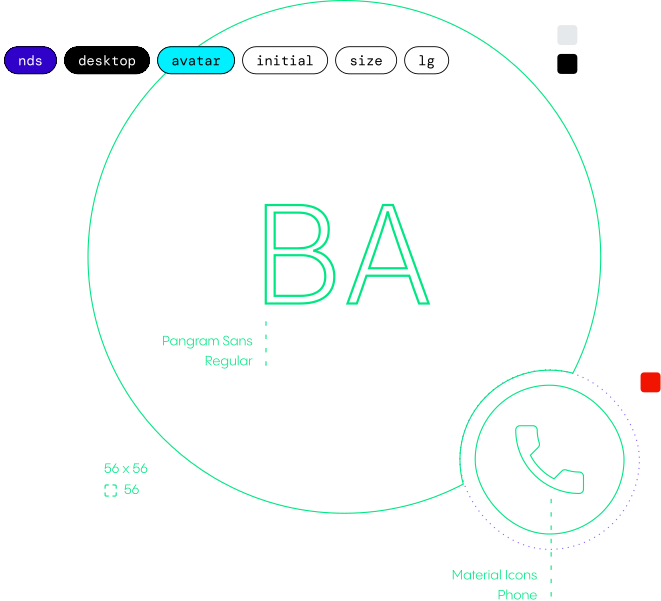
The branding uses the Pangram Sans font exclusively, available in a range of cuts and weights. This made it straightforward to build an effective type scale. The medium size is 16pt, the recommended minimum for body text accessibility.
Here, we have some example applications of the token architecture, covering typography, sizing, elevation and opacity.
Some example applications:
-
nds
System
-
font
Category
-
family
Variant
-
default
Property
-
nds
System
-
desktop
Mode
-
font
Category
-
size
Variant
-
lg
Scale
-
nds
System
-
desktop
Mode
-
size
Category
-
xs
Scale
-
nds
System
-
desktop
Mode
-
elevation
Category
-
none
Emphasis
-
nds
System
-
opacity
Category
-
medium
Emphasis
Component tokens
Component tokens reference semantic tokens to style every property of a UI element, such as color, size, typography, elevation and more.
Switching between brands, modes or platforms is handled at the token level, so components update automatically without any redesign.
An example of component styling:
-
nds
System
-
light
Mode
-
button
Component
-
primary
Variant
-
background
Property
-
enabled
State
Light and dark modes
Theming is handled by mapping semantic tokens to light and dark color schemes. In the NFON brand, the base color emphasis is inverted in dark mode, while the accent stays the same.
Other color modes can be created for high contrast or seasonal themes. Partner brands may have a drastically different color palette, so it was important not to couple values too tightly (at the expense of some automation).
A video showing primary and secondary buttons, on a light background. The components cycle through their states: enabled, hover, focus, active and disabled.
Light mode tokens
Semantic
Component
A video showing primary and secondary buttons, on a dark background. The components cycle through their states: enabled, hover, focus, active and disabled.
Dark mode tokens
Semantic
Component
Components
Working from the component inventory, I grouped components into categories: interaction, text, form, overlay, and more. Base components include buttons, headings, links, form fields, tooltips, dialogs and avatars.
Component sizes are larger on mobile and tablet than on desktop, to ensure legibility and adequate touch target sizes. Android targets are slightly larger than iOS; to keep the system simple, I used the Android size as the standard.
These base components combine to form more complex feature components and design patterns: navigation and toolbars, login and password recovery forms, contact lists, user settings, and more.
Two challenges shaped the component work: resisting the urge to create new components for every feature request, and keeping variant counts manageable to avoid performance issues (the introduction of slots in Figma helps skirt this issue).
Component animations, showing different component states. A text input with searchable dropdown, a toggle, a checkbox and a list component that has subcomponents like avatars, toggles, and checkboxes.
Some components indicate user status or form validation. I created an auxiliary palette for this, following a traffic light convention (green for positive, yellow for warning, red for negative, and gray for neutral or disabled states).
Since we had limited resources and a tight deadline, we opted for Material Design icons as a practical starting point rather than designing a bespoke set.
A laptop and a smartphone showing Cloudya's interface. Switching brand tokens changes the interface's colors and typography. Three different brands are shown: NFON, Sunrise and PhoneUp.
Theming
The token architecture made rebranding straightforward. Swapping the color and font tokens was enough to give the UI a different identity. Same components, different brand. The scope of the project didn’t involve customizing the components, but it would be possible to do so.
The system supported multiple partner themes and a white label brand called PhoneUp, created for the Marketing team.